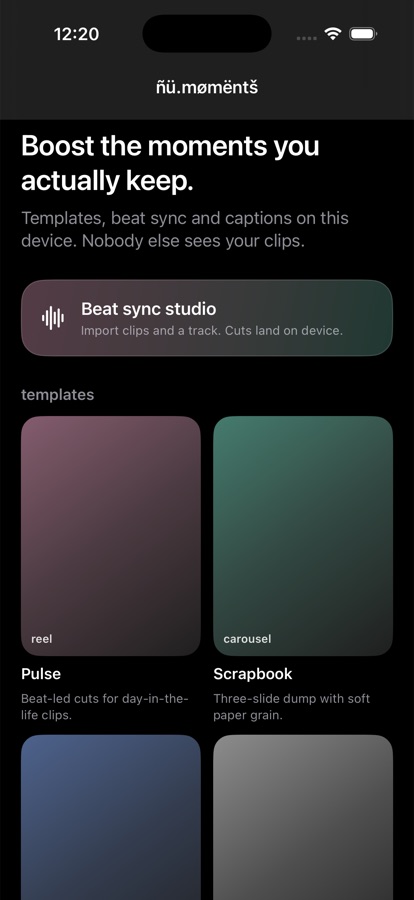
 Beat sync in one tapClips meet the song on the Neural Engine. Pro timing without a timeline.
live now · in your browser
ñü.mømëntš studio — cut it, post it
Post to the feed, cut it in ñü.mømëntš, pick your ñü.ævätåřş identity and keep originals in ñü.media. Posts you publish to the shared feed are public; everything else on this page stays on this device. Likes, tips and pack buys here are on-device previews: no money moves on this page, and the ñũ.Fî panel is a demo ledger.
for you
The newest posts from everyone. Tap ♥ or share anywhere.
live preview · ñü.mømëntš
120 BPM · beat sync on deviceNaturalUploads only when you post
ñü.mømëntš beats templify — try it, don't read about it
The editor is the Create tab: six designer packs, beat sync, subject lift, captions and looks — all on-device. Templify uploads your clips to score them and paywalls the export; here the export is yours, and nothing uploads until you post.
- Upload to score a clipTemplify: yes · ñü.mømëntš: never
- Weekly subscription trapTemplify: $9.99/wk · here: free editor, buy packs once
- OriginalsCloud apps: flattened · here: recipe over the original
- Template privacyTracked · here: signed packs over webË / mixnet
ñü.media library — originals on this device
Uploads live in this browser's private store (IndexedDB). Use one in a post, or delete it — it was never on a server.
ñũ.Fî demo ledger
A demo of how creator earnings add up: tips 100% to you, pack sales 90% to you with the flat 10% commerce. Every figure here is simulated on this device. No money moves on this page.
Demo balance$0.00
Demo payouts$0.00
Demo ñũ.Bî$0.00
Demo only. Real tips, sales and payouts run in the khėnsu.ñü app.
demo ledger
try it here · uploads only when you post
the editor, running in this page.
your clips stay in this tab until you post.
Pick a sample or drop in your own photo/video, choose a template look, type a caption, then export. This is the same recipe model as the app — look, caption and format rendered into the file. The native app adds beat-synced multi-clip timelines, auto captions from speech, subject lift and carousels.
Pulse · Digital Pop9:16Uploads only when you post
ñü.mømëntš
boost the moments
you actually keep.
Templates, beat sync, captions and a full editor. Everything runs on your device. Nobody else sees your clips.
No upload to score a clip. No tracking for ads. Tips 100% to the person.
get the highlights
made for creators who refuse the cloud.
Beat sync in one tapClips meet the song on the Neural Engine. Pro timing without a timeline. Templates that adaptYour shots, faces and motion pick the layout. The same pack never looks twice.
 Private by constructionNo Private Cloud Compute. No caption server. No “improve with AI” upload.
 Post to the feedShare into nu.network, or export HEVC and walk away. Your choice.
features
from idea to post.
minutes, not hours.
nu.moments is a creator-first editor: templates, beat sync, captions, effects and a full video and photo path. Design automation and AI editing stay on your Neural Engine. Nothing is processed on a server.
- Beat sync studioDrop in clips and your own track — or generate a beat at 70–160 BPM on the device. Onset detection re-times every cut. Auto-fit scores your frames locally, puts the strongest shot first, then cuts to the beat.
- Designer templatesSix packs ship in the app today — Pulse, Scrapbook, Night bus, Clean cut, Film still, Tutorial. Each one applies its own look, transition and caption style to your clips in the preview and in the exported file.
- Video editorSplit, duplicate, trim in-point and length, reorder, speed at 0.5×/1×/2×, per-clip mute, and four formats (9:16, 1:1, 4:5, 16:9) on iPhone, iPad or Mac. Export renders from the originals.
- Subject liftPhotos: Vision person segmentation on your device lifts the subject over a soft blurred backdrop. The original photo stays untouched in your library.
- CarouselsSwipeable scrapbook stories for trip dumps, tutorials and portfolios. Multi-slide templates you rearrange on the phone, then post to the Feed or export out.
- CaptionsType them in Pop, Typewriter, Soft or Stamp — or let Auto captions recognise speech entirely on device. Every caption is burned into the preview and the export, exactly as you see it.
- Photo & looksFilm 35mm, Printed, Haze, Digital Pop, VHS and Mono run on your device and apply to video, photos and carousel slides alike. Every project is a recipe over the originals.
- Export anywhereSave the reel or carousel slides straight to Photos, or share an MP4 anywhere through the system share sheet. Use the studio on this page to post into the feed below.
effects shop
looks that stop the scroll.
rendered on your device.
These six looks ship in the app today and render into every preview and export. Each tile below is a real frame with that look applied.
- Film 35mm
- Digital Pop
- Haze
- Printed
 VHS
VHS Mono
Mono
the art of carousels
carousels that feel like you.
scrapbooks, not slides.
Swipeable, story-driven templates inspired by junk journals, photo dumps and visual diaries. Drop your photos in; rearrange on the phone; export to the Feed or outside.
from…
- Educational posts
- Trip recaps
- Tutorials
- Portfolio highlights
- Storytelling slides
worth the switch
built to beat the template apps
you already tried.
Typical reel makers score your clips in the cloud, track you for ads, and hide the subscription until after setup. nu.moments keeps every frame on the device you hold — and says so up front.
| What happens | ñü.mømëntš | Typical template apps |
|---|---|---|
| Clips leave your device for AI or scoring | – | ● |
| Tracks you across apps and sites for ads | – | ● |
| Beat sync runs entirely on device | ● | – |
| Original kept under a non-destructive recipe | ● | – |
| Template fetch that never reveals which pack you chose | ● | – |
| Honest try-before-you-buy; no surprise paywall after setup | ● | – |
| Tips go 100% to the person; app commerce a flat 10% | ● | – |
| Share into a private network feed, not only public social | ● | – |
| Generated detail is a choice, never forced into what you send | ● | – |
| Desktop and phone share one project model | ● | ● |
“Typical template apps” reflects common App Store privacy labels and cloud AI flows (contact info, device identifiers and usage data used for tracking and advertising). nu.moments never collects those for ads and never uploads your library to score a template.
templates
built for your clips.
not one size fits all.
Every template renders its look, transition and caption style into your shots. The same pack never looks the same twice. Customize everything, and keep the original under the recipe.
- On your deviceShot detection, faces, motion, beats and aesthetic scoring run locally. No upload to score a clip.
- Packs in the appSix designer packs ship inside the app — no download, no account, no tracking of which one you opened. The studio above uses the same looks in your browser.
- Creators earnAnyone can publish a template as a persona. Tips and sales go to them; app commerce stays a flat 10%.
- Export your wayMP4 reel or carousel slides to Photos, or anywhere through the share sheet. The browser studio on this page exports WebM/JPG.
pricing
try everything.
Pay when you buy.
Editing, beat sync, captions and templates on this device ship without a surprise monthly wall after onboarding. When you buy a pack or tip a creator, app commerce is a flat 10% — the lowest in the industry — and tips go 100% to the person.
- On-device editorIncluded. Your clips never leave to unlock a feature.
- Creator packsBuy once from the person who made them. No tracking inside a pack.
- Tips100% to the creator. khėnsu.ñü takes no cut on tips.
privacy
your moments stay yours.
No Siri, no Private Cloud Compute, no Writing Tools in the composer, no iCloud for this path. Edits, captions and templates resolve on the phone you hold. Generated detail is a choice you turn on, never a default when you send with nu.media.
nu.moments is the product name for the on-device editor described inkhensu-specs (design/nu-moments.md,design/editor.md). Address: nu:moments.khensu.nu.